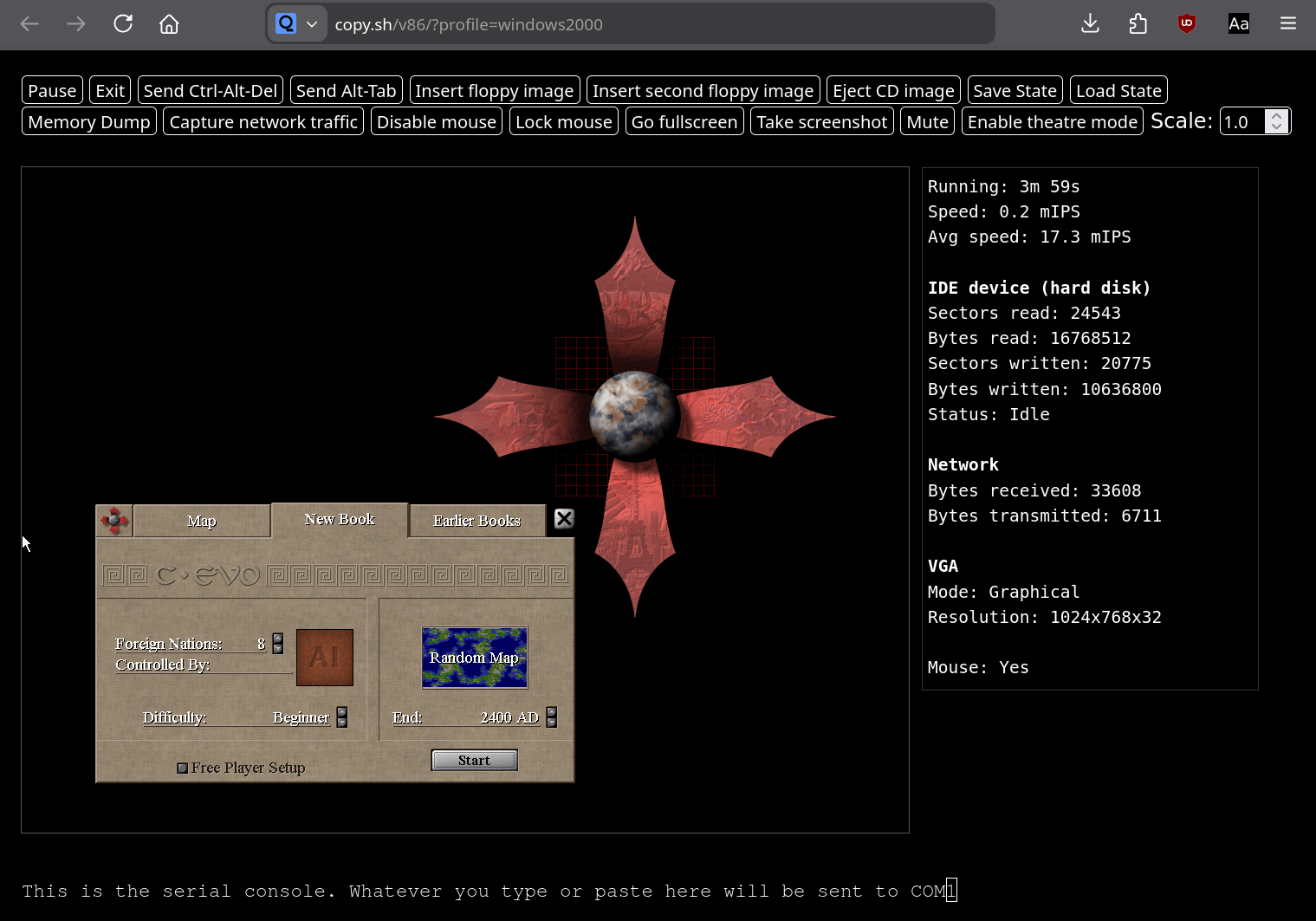
The game is not available directly for web browsers (WASM or Javascript). It needs to be executed inside some emulator which can run in a web browser.
v86 emulator (https://github.com/copy/v86):
- Open https://copy.sh/v86/?profile=windows2000
- Download C-evo 1.3.9 ISO image from https://app.zdechov.net/c-evo/chrome/site/v86/c-evo_1.3.9.iso
- Click on "Insert CD image" button and select the downloaded ISO image
- Go to "My Computer" and open "Compact Disk D:"
- Run C-evo32.exe
- Enjoy the game.

Optionally for higher resolution:
- Change Scale to 1.25 or 1.5 on top panel
- Click on "Go fullscreen" on top panel
- Open desktop Properties and select Settings tab
- Select 1920x1080 32-bit or other higher resolution and confirm the change
- Start C-evo32.exe
- In C-evo settings click on "Custom DPI" and select 150%
The state of the virtual machine can be stored into a file. The game runs also with ReactOS but without sound https://copy.sh/v86/?profile=reactos
Broadway engine is unfortunately supported only with Gtk 3 and 4 and Lazarus can correctly compile only to Gtk 2 which doesn't run in web browser with this variant. https://docs.gtk.org/gtk3/broadway.html https://docs.gtk.org/gtk4/broadway.html
Last modified
8 months ago
Last modified on Feb 2, 2026, 9:18:33 AM
Attachments (1)
- C-evo in web browser.png (342.3 KB ) - added by 8 months ago.
Download all attachments as: .zip
Note:
See TracWiki
for help on using the wiki.